
 OpenType File Format






Adobe Wood Type Ornaments Two Character Map
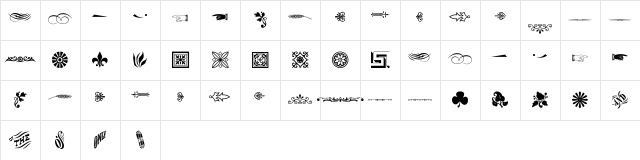
Complete Adobe Wood Type Ornaments Two glyph index. Displaying only characters natively supported by Adobe Wood Type Ornaments Two font.
Adobe Wood Type Ornaments Two Test Drive
Download Adobe Wood Type Ornaments Two
File size: 37 KB
File Version: Mon, 30th Apr 2007
File Name: adobe-wood-type-ornaments-two-opentype.otf
Design Context for Adobe Wood Type
Adobe Wood Type echoes the hand-painted signage and woodblock typography of the American frontier, with a warm, rugged personality.
First published in 2007, this typeface is available in OpenType (OTF) format.
A natural fit for craft spirits, ranch branding, rodeo events, and Americana-inspired design work.
Font Pairing: Combine Adobe Wood Type with a simple slab or neutral sans - period-accurate companions reinforce the vintage feel without competing for attention.
Pro Tip: Use Adobe Wood Type for short, impactful bursts of text - it shines in poster headlines and product names rather than extended copy.
Frequently Asked Questions about Adobe Wood Type Ornaments Two
Is Adobe Wood Type Ornaments Two free to download?
Yes, you can download Adobe Wood Type Ornaments Two for free at uFonts. It is available in OpenType format.
How do I install Adobe Wood Type Ornaments Two on my computer?
To install this font, download the file and unzip it if necessary. On Windows: Right-click the font file and select "Install." On Mac: Double-click the file and click "Install Font" in the Font Book preview.
Download Popular Fonts
Most popular fonts right now.









