
 TrueType File Format



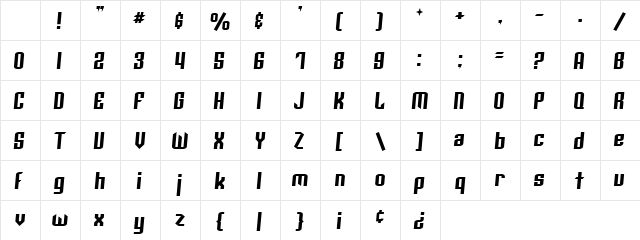
Archery Black Rounded Italic Character Map
Complete Archery Black Rounded Italic glyph index. Displaying only characters natively supported by Archery Black Rounded Italic font.
Archery Black Rounded Italic Test Drive
Download Archery Black Rounded Italic
File size: 20.86 KB
File Version: Mon, 18th Dec 2000
File Name: archery-black-rounded-italic.ttf
Design Context for Archery Black Rounded
Archery Black Rounded softens its letterforms with rounded terminals, giving it an approachable, friendly quality that works well in consumer-facing and digital contexts. The slanted form adds forward momentum and visual energy.
First published in 2000, this typeface is available in TrueType (TTF) format.
Well-suited to UI design, mobile interfaces, and any brand that wants approachability without sacrificing clarity.
Font Pairing: Pairs well with a rounded or humanist sans for body copy, maintaining the friendly tone without relying on Archery Black Rounded to carry extended reading.
Pro Tip: Use Archery Black Rounded for UI elements, app interfaces, and anywhere a friendly, approachable tone needs to be maintained without sacrificing clarity.
Frequently Asked Questions about Archery Black Rounded Italic
Is Archery Black Rounded Italic free to download?
Yes, you can download Archery Black Rounded Italic for free at uFonts. It is available in TrueType format.
How do I install Archery Black Rounded Italic on my computer?
To install this font, download the file and unzip it if necessary. On Windows: Right-click the font file and select "Install." On Mac: Double-click the file and click "Install Font" in the Font Book preview.
Download Popular Fonts
Most popular fonts right now.









