
 TrueType File Format





SundraDisplayCaps Italic Character Map
Complete SundraDisplayCaps Italic glyph index. Displaying only characters natively supported by SundraDisplayCaps Italic font.
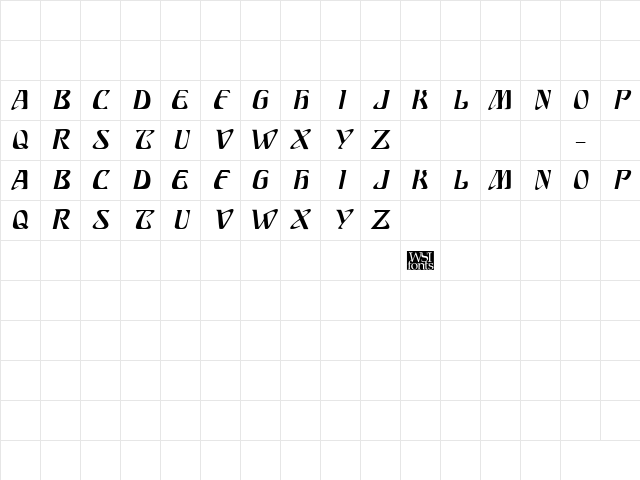
SundraDisplayCaps Italic Test Drive
Download SundraDisplayCaps Italic
File size: 21.7 KB
File Version: Sat, 2nd Feb 2002
File Name: sundradisplaycaps-italic.ttf
Design Context for SundraDisplayCaps
SundraDisplayCaps is built around its visual character rather than neutral utility - its distinctive forms are designed to make an impression at display sizes. The slanted form adds forward momentum and visual energy.
First published in 2002, this typeface is available in TrueType (TTF) format.
Suited to editorial headers, event branding, and any context where the font itself is part of the message.
Font Pairing: Pair with a clean neutral sans-serif for body copy to let SundraDisplayCaps's character lead without overwhelming the composition.
Pro Tip: Use SundraDisplayCaps exclusively at display sizes - it was designed to be seen, not read at length. Let a neutral companion handle body copy.
Frequently Asked Questions about SundraDisplayCaps Italic
Is SundraDisplayCaps Italic free to download?
Yes, you can download SundraDisplayCaps Italic for free at uFonts. It is available in TrueType format.
How do I install SundraDisplayCaps Italic on my computer?
To install this font, download the file and unzip it if necessary. On Windows: Right-click the font file and select "Install." On Mac: Double-click the file and click "Install Font" in the Font Book preview.
Download Popular Fonts
Most popular fonts right now.









